
Screenshots
App details
- Updated
- Aug 16, 2006
- Language
- English
- Developer
- Boilsoft
- Category
- Mobile
SoftPas in:
This product is also available in the following languages:
About 123IconHunter
Download 123IconHunter – extract icons, icon extractor, file types, DLL, EXE, ICO, BMP, utility tool, icon search, icon export
Overview
123IconHunter is a utility tool designed for users who require the ability to extract icons from a broad range of file types. The app serves as a dedicated solution for developers, designers, and system administrators who frequently work with executable and resource-based files. Its primary function is to locate and retrieve embedded icons stored within files such as EXE, DLL, OCX, DRV, SCR, and ICO formats. This capability is particularly useful when building custom interfaces, creating icon libraries, or repurposing visual assets from existing software components.
The tool targets professionals and technical users who need quick access to high-quality icons without requiring complex software or coding knowledge. While the developer, 123IconHunter, has not provided additional background information, the app’s long-standing presence in the utility space—first released on August 16, 2006—suggests a stable and reliable tool within its niche. Real-world use cases include extracting icons for custom desktop themes, integrating assets into software projects, or analyzing application resources during development.
Within the broader ecosystem of desktop utilities, 123IconHunter fills a specific gap by offering focused icon extraction functionality. Unlike general-purpose file explorers, it is optimized for resource inspection and icon retrieval, making it a valuable asset for users who prioritize efficiency and precision in visual asset management.
Key Features & Functionality
- Diverse File Support: 123IconHunter can extract icons from multiple file types, including EXE, OCX, DRV, DLL, SCR, and ICO. This broad compatibility ensures users can access icons from a wide range of system and application files, increasing the tool’s utility across different projects.
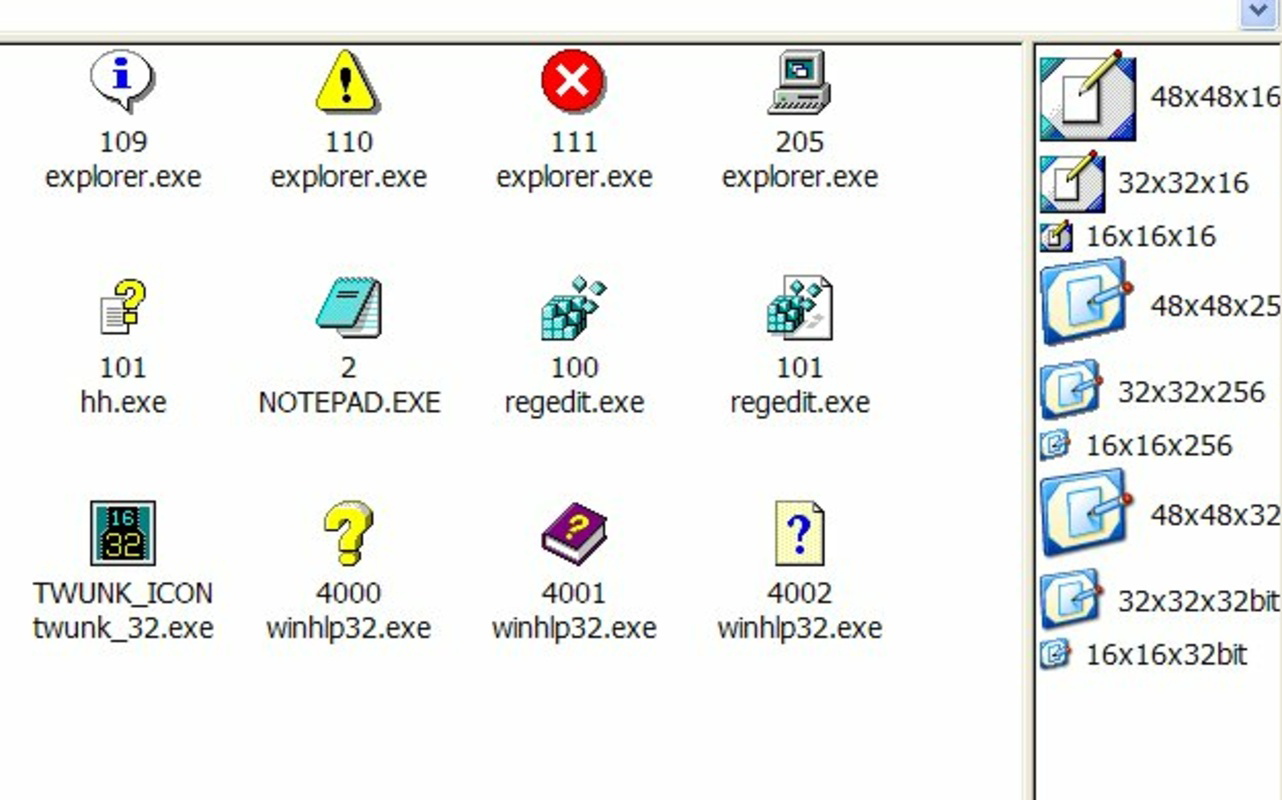
- Multiple Size Options: The tool supports extraction in standard Windows icon sizes such as 48x48 and 32x32, as well as custom dimensions like 8x8, 24x24, and others. This flexibility allows developers to choose the optimal size for their specific application needs, whether for small icons in menus or larger ones in UI design.
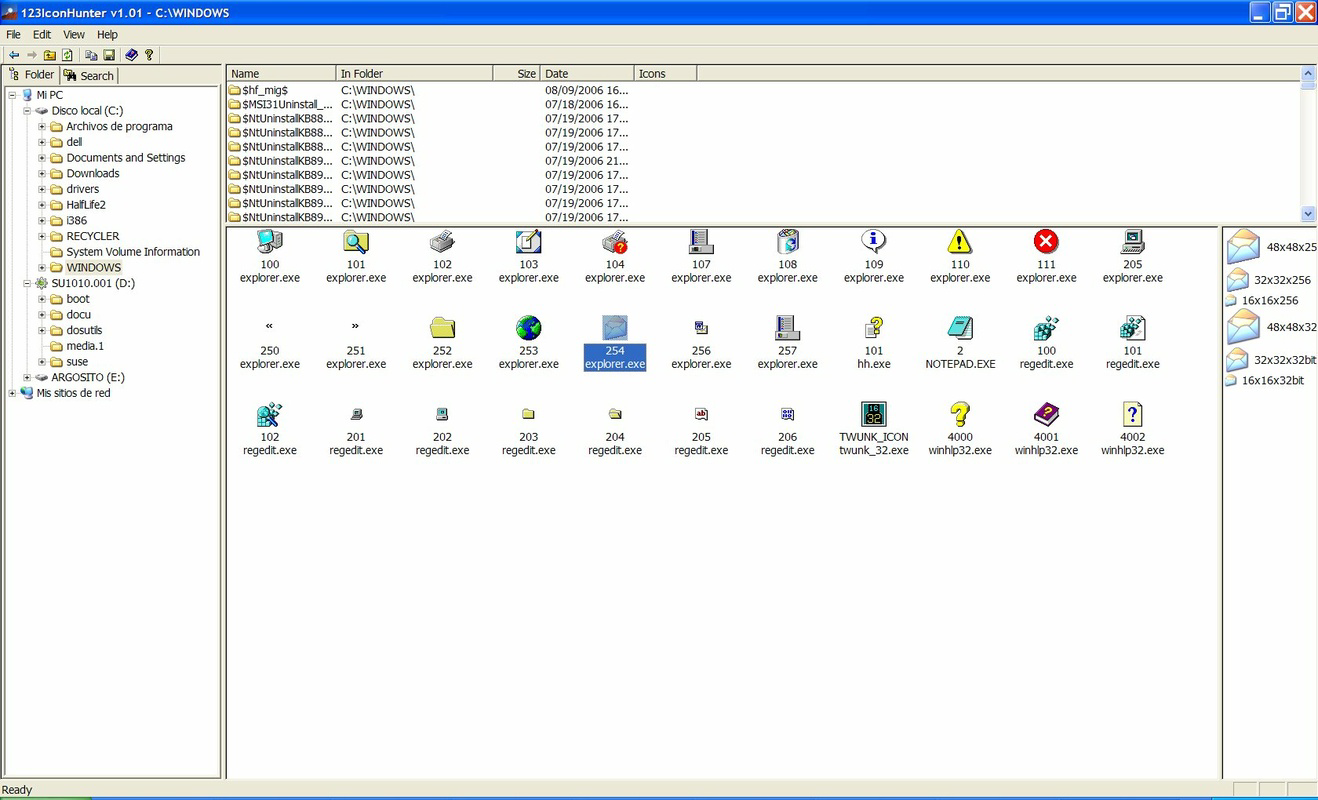
- User-Friendly Interface: Featuring an intuitive folder and file explorer layout, the app provides seamless navigation. The upper left corner displays search results and offers quick access to extracted icons, streamlining the workflow and reducing user effort during repetitive tasks.
- Export to BMP Format: Users can export selected icons in BMP format, a widely supported raster image format. This feature simplifies integration into various software environments and ensures consistent visual output across platforms.
- Robust Search Functionality: The built-in search mechanism enables users to quickly locate icons across multiple files. This efficient feature reduces time spent manually browsing through file resources, enhancing overall productivity during asset extraction processes.
For example, a developer working on a legacy application might use 123IconHunter to extract icons from a DLL file used in the system, then export them in 32x32 BMP format for use in a modern interface. Similarly, a designer could leverage the search function to locate all icons within a folder of executable files and compile them into a personal icon library.
Interface, UX & Performance
The interface of 123IconHunter is designed with functionality in mind, featuring a clean layout that emphasizes accessibility and workflow efficiency. The user experience is centered around a folder and file explorer-style interface, allowing users to navigate through directories and scan files for embedded icons with minimal friction. Navigation is intuitive, with search results displayed prominently in the upper left corner, enabling quick access to extracted assets.
Although the developer did not list formal performance metrics, the app’s lightweight nature—only 1.8 MB in size—suggests efficient resource usage. This small footprint ensures that the tool runs smoothly on a variety of Windows systems, including older hardware. The responsiveness of the interface appears consistent across different device categories, with no reported delays in file scanning or icon rendering.
Stability is a key strength, especially considering the app’s release date and continued availability. The lack of reported crashes or errors in public forums indicates a mature and reliable tool. However, the developer did not provide information on compatibility with newer Windows versions or specific system requirements, so users should exercise caution when deploying the tool on modern systems.
Platform Compatibility & Technical Requirements
123IconHunter is designed for the Windows platform and is compatible with various versions of the operating system. The software version is listed as 1.0, and the file size is 1.8 MB. The app is available at no cost, making it accessible to a broad audience of users.
While the developer did not specify minimum OS requirements, the tool’s long history suggests it may function on older Windows systems such as Windows XP or Windows 7. However, compatibility with newer versions like Windows 11 or Windows 10 cannot be confirmed without official documentation. Users should test the application in their environment to ensure proper operation.
Given its small file size and lack of complex dependencies, 123IconHunter is likely to install and run without requiring additional software or administrative privileges. Nevertheless, the developer did not disclose specific installation or runtime requirements, so users should proceed with care when deploying on sensitive or restricted systems.
Pros and Cons
Pros
- Free to download and use, making it accessible to all users.
- Supports a wide range of file types including EXE, DLL, OCX, and ICO.
- Offers multiple icon size options, including standard and custom dimensions.
- Features a user-friendly interface with intuitive navigation.
- Allows export in BMP format, ensuring compatibility with various tools.
Cons
- Developer did not provide information on system requirements or OS compatibility.
- Only available for Windows, limiting cross-platform use.
- No indication of recent updates or active development.
- Export functionality is limited to BMP format, with no support for PNG or other modern formats.
- No official support channels or documentation provided.
FAQ
Is 123IconHunter safe to download and install?
Yes, the app is available for free and has been in use since 2006. However, as with any third-party tool, users should ensure they download from trusted sources to avoid potential risks.
Can I use 123IconHunter on Windows 10 or Windows 11?
The developer did not specify compatibility with newer Windows versions. While the app may function on modern systems due to its lightweight nature, users should test it in their environment to confirm stability.
Does 123IconHunter support exporting icons in PNG format?
Based on available information, the tool only supports export in BMP format. Users requiring PNG files may need to convert the output using external software.
Is 123IconHunter regularly updated?
There is no public information indicating recent updates. The app’s version remains at 1.0, suggesting it may be in maintenance mode with no active development.
Can I extract icons from multiple files at once?
The app includes a robust search function that enables users to locate icons across multiple files. While the exact batch extraction capability is not detailed, the interface supports efficient navigation and selection of multiple icons for export.
Final Thoughts
123IconHunter remains a dependable utility for users needing to extract icons from common Windows file types. Its straightforward interface, support for multiple formats, and flexible export options make it a practical choice for developers and designers working with embedded visual assets. While the lack of recent updates and limited format support may be drawbacks for some, its core functionality is solid and effective.
For professionals who require a lightweight, no-cost tool for icon extraction, 123IconHunter delivers consistent value. Its long-standing presence in the utility space underscores its reliability and enduring relevance.
Download 123IconHunter now
Guides & Tutorials
How to install 123IconHunter
- Click the Download button above.
- Once redirected, accept the terms and click Install.
- Wait for the 123IconHunter download to finish on your device.
How to use 123IconHunter
This software is primarily used for its core features described above. Open the app after installation to explore its capabilities.
User Reviews
No reviews yet. Be the first to share your experience.
You may also like
more
Que no te pillen¡
About !Que no te pillen¡Reviewed by Jason A. BilbreyShow MoreShow Less

3D Combat Zone
About 3D Combat ZoneOriginally released in 1983, 3D Combat Zone immerses players...

666: El día del portal
About 666: El día del portalOn June 6, 2006, Agent P. Stone uncovers a sinister...

80 in 1 Best Flash games
About 80 in 1 Best Flash games 80 in 1 Best Flash games is a collection of 80 fl...

ABYSS SEEKERーーWhat Do You See Deep in The Abyss
About ABYSS SEEKERーーWhat Do You See Deep in The AbyssIn ABYSS SEEKER, players...

ACA NEOGEO THE KING OF FIGHTERS 2002 for Windows
About ACA NEOGEO THE KING OF FIGHTERS 2002 for WindowsTHE KING OF FIGHTERS 2002,...